

Deploy OVA Template
I don’t know why it here, but maybe it will be helpful for someone. You can find step by step guide below. I think the images below do not require big comments.
-
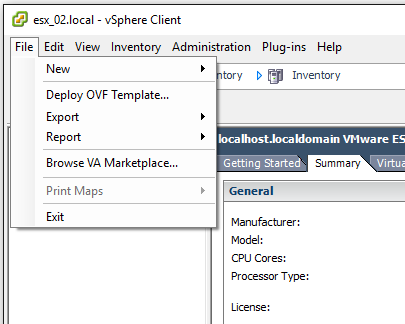
Choose Deploy OVF Template…
-
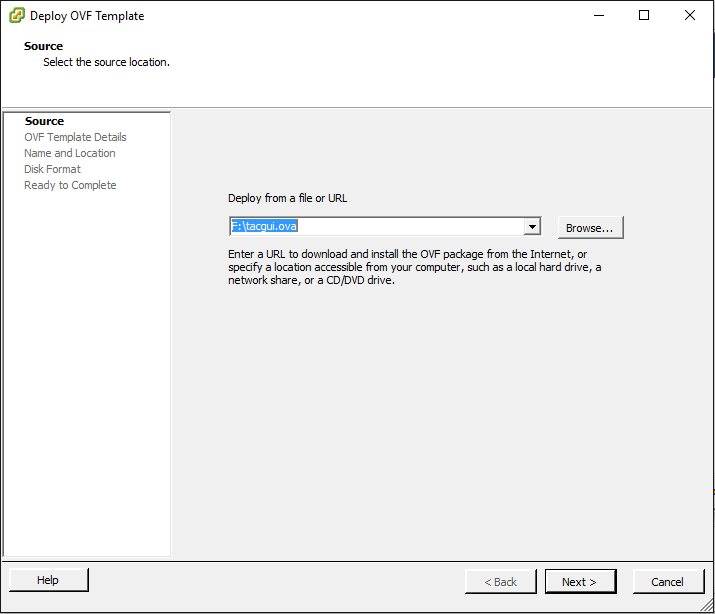
Choose the OVA file, that you downloaded before (from that site)
-
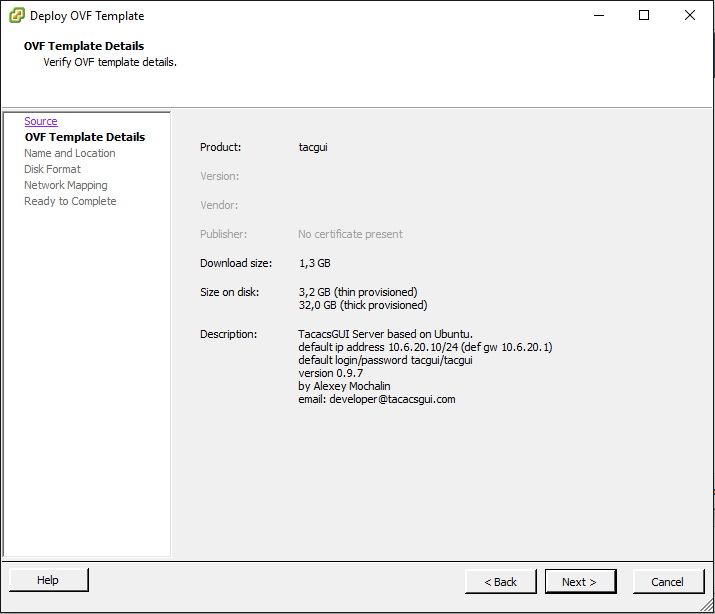
It is just details of that file
-
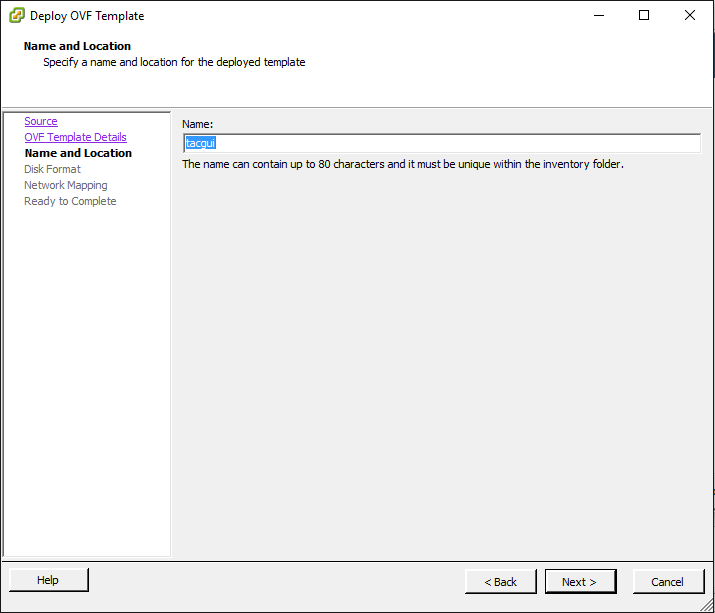
Set new name for virtual machine (or leave it as tacgui)
-
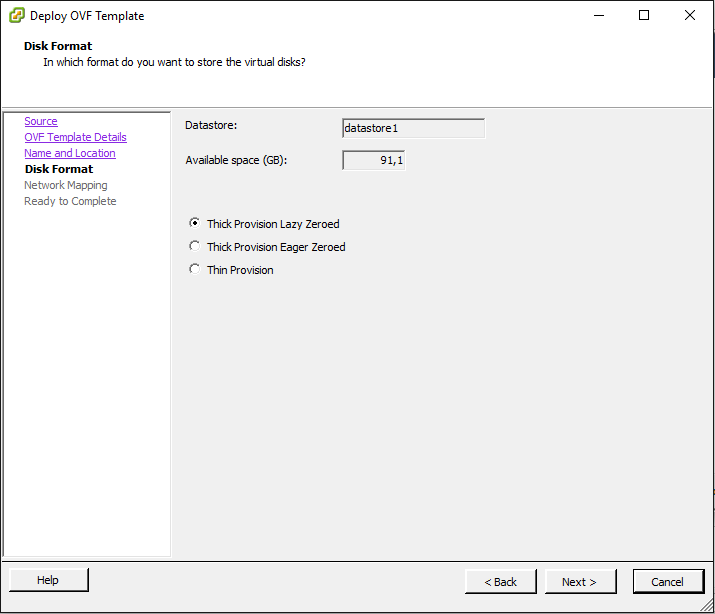
Choose Disc Format (or leave it as default)
-
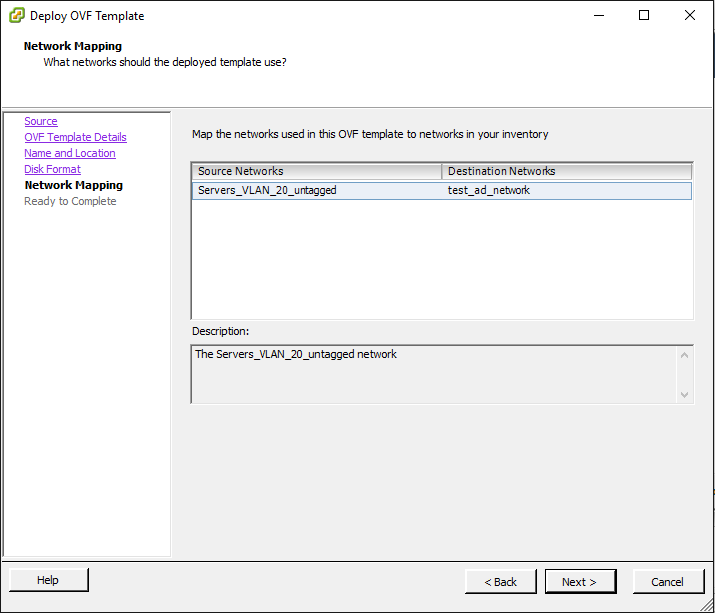
Network settings converter, you can choose another network later in the settings of new virtual machine
-
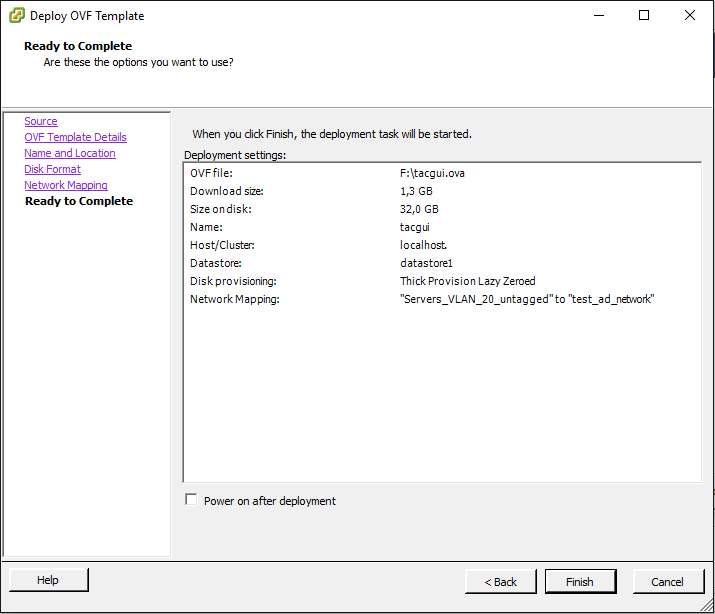
Complete info
-
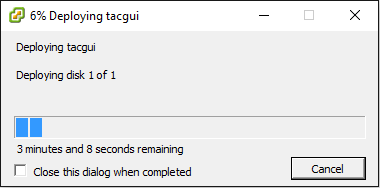
Wait until the new virtual machine will be downloaded
Author: Alexey Mochalin;
Created at: 2018-11-02 10:07:09;
Updated at: 2018-11-26 11:08:46